On the exam day, the examiners use the schedule in Valuatic Touch: each examiner selects their station, assesses the candidates in the order they arrive, and finalizes the station at the end.
Video: Selecting, assessing and finalizing (4:28)
Note: The exam has to be distributed to the devices first, as described in Distribute Exam.
Select the Station
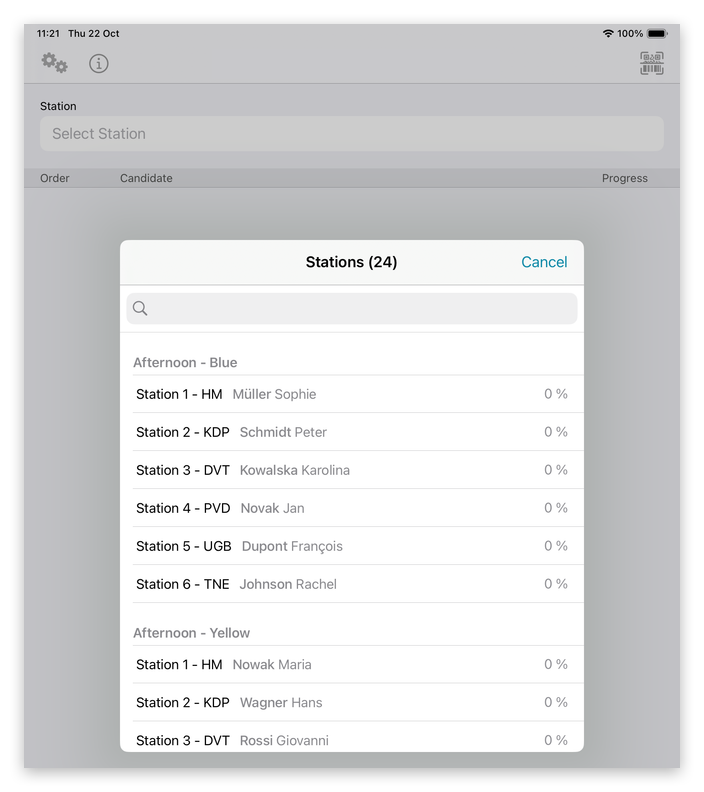
Tap Select Station. The list shows all stations of the exam, grouped by rotation, with their examiner and progress. Even quicker: scan the station’s QR code with the scan button at the top right.
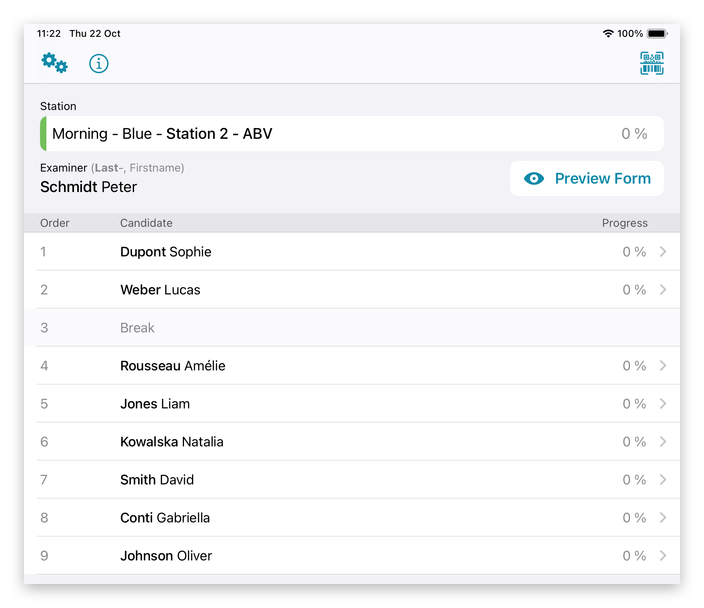
Valuatic Touch shows the rotation, the station and its examiner. Below, the candidates are listed in the order in which they come to this station; a Break row marks the round in which the ghost candidate is at this station — the examiner’s pause.
Assess the Candidates
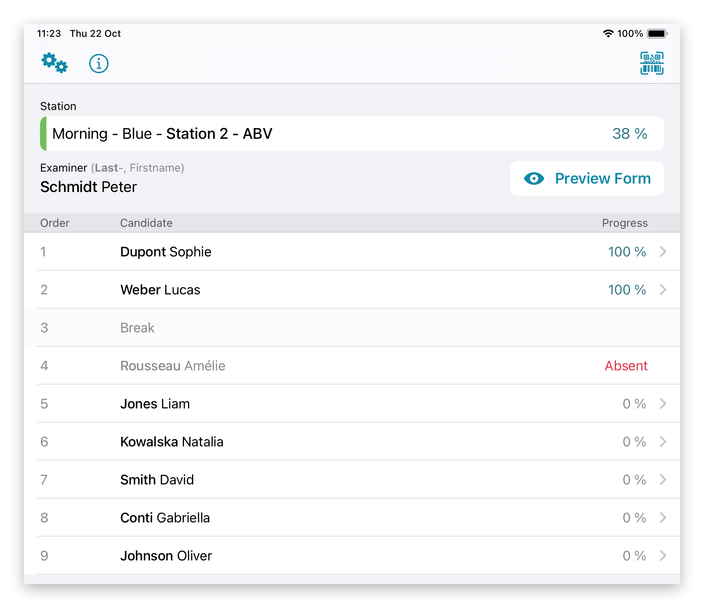
Tap a candidate to open the assessment. The progress shows how much of each assessment, and of the whole station, is completed.
If a candidate doesn’t show up, swipe the row to the left and tap Absent. Absent candidates count as done.
Finalize the Station
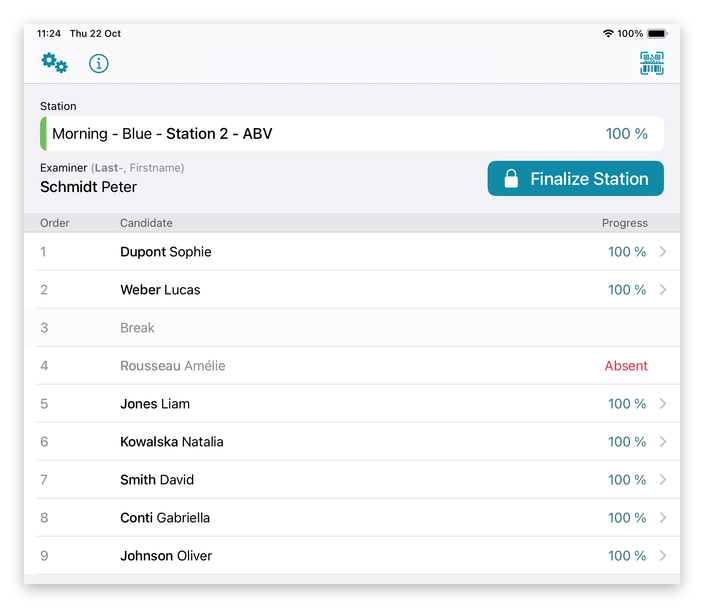
When all candidates are assessed, the station reaches 100 % and the Finalize Station button appears.
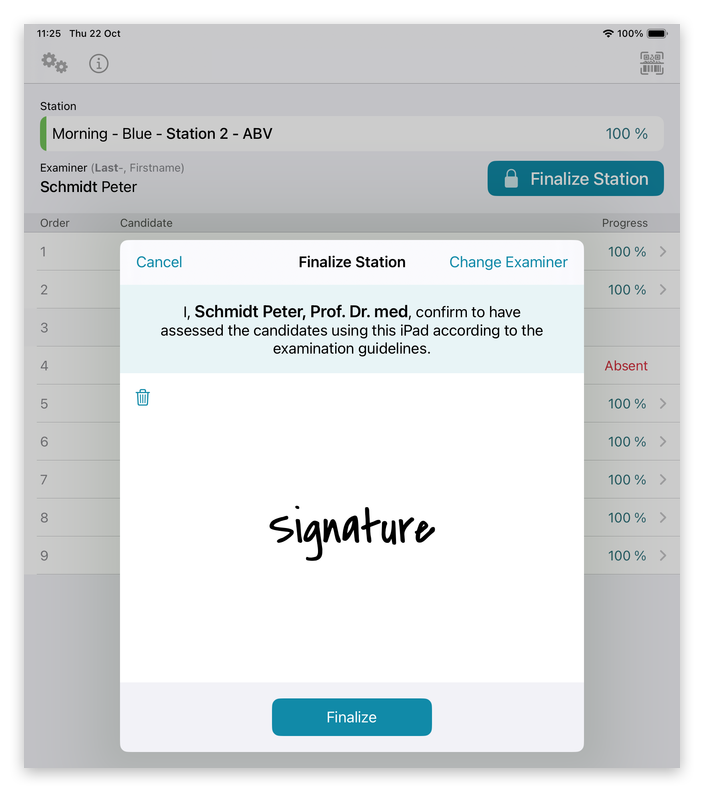
The examiner confirms the results by signing, then taps Finalize.
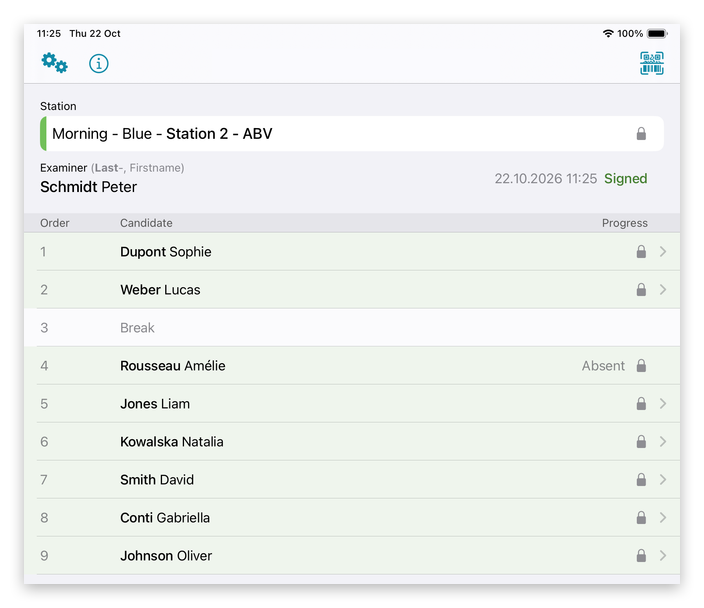
The station is signed: the date and time are shown, and all assessments of the station are locked. 🚀