The scheduling feature has not been released yet — it will be available with Valuatic 4.0.
This documentation is preliminary and subject to change.
Subscribe to our newsletter to get notified when it becomes available.
When the exam uses Scheduling, the Results section lists the stations with results and allows the administrator to correct them. It replaces the Assessments section of exams without scheduling.
Stations with Results
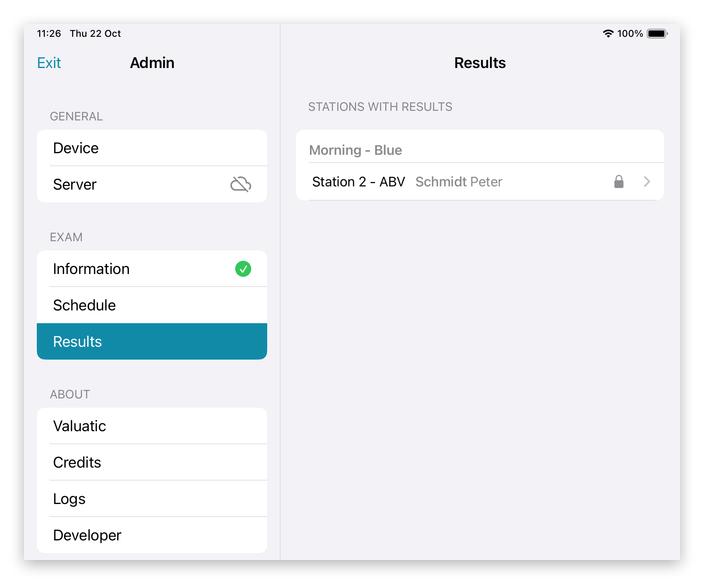
The stations with results are listed by rotation. A lock shows that a station is signed.
Note: Tapping a station in this list doesn’t just show it: it selects the station on this device, and the admin area closes. The device is back on the exam screen with this station active, just as if it had been selected there.
Unlock a Station
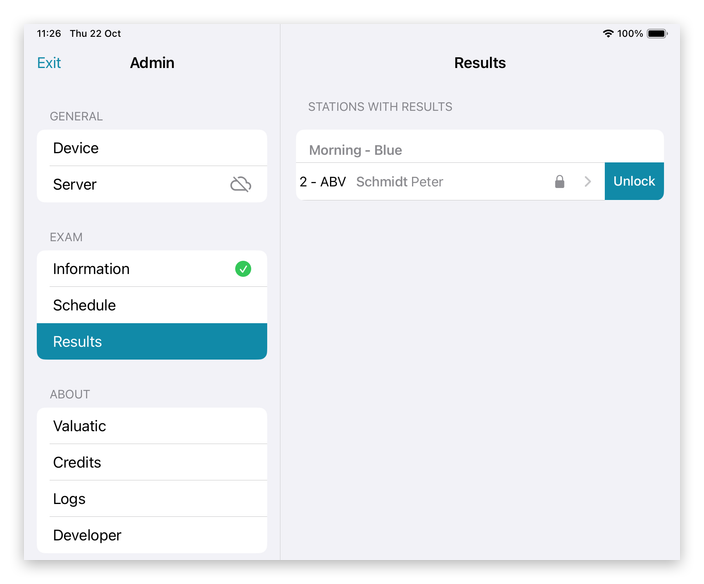
If a signed station has to be corrected, swipe it to the left and tap Unlock.
The station is unlocked: the examiner can change the assessments and finalize the station again.
Reset a Station
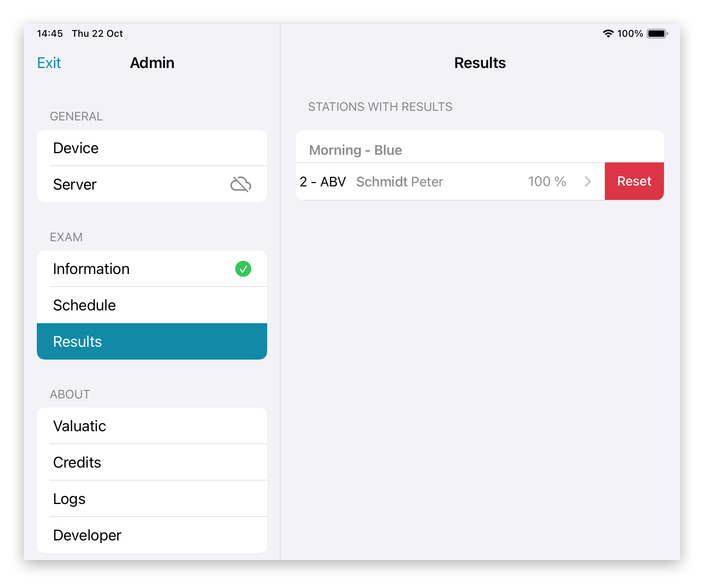
A station that is not signed can be reset, again with a swipe to the left.
Important: Resetting deletes all results of the station and cannot be undone!
That’s why a signed station can’t be reset directly: it has to be unlocked first.